


Top Features


ZWCAD Interface Refreshed
ZWCAD Interface Refreshed
The visual experience from launch to the main interface has been fully refreshed. A unified color hierarchy, integrated layout, and consistent design standards create a more immersive drawing environment, reduce visual distractions, and maximize the drawing area.


More Features


Measuregeom Optimization
Added volume/total area/total length query functions to make it easier for users to quickly obtain design data.

Migrate Function Enhancement
Supports importing configuration settings from earlier versions and command-line silent operation configuration files, with a redesigned migration interface.

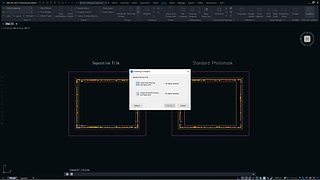
Font Substitution Dialog Box Optimization
The new dialog box provides the functionality to replace all missing fonts with one click, and also allows for the separate replacement of each missing font.


Discover More
Start sparking creativity and boosting efficiency right away.


What's New in Previous Versions
2026
Parametric Design
Add geometric and dimension constraints to entities for quick size and shape adjustments, making design changes and drawing reuse easier.
ZWCAD Toolbox
Access tools for layers, dimensions, and selection in a single panel, with customizable layouts for an efficient and personalized drawing experience.
Smart Match
Automatically identify identical shapes and support batch editing to improve drawing editing efficiency, reducing manual effort significantly.
Similar Search
Search for similar blocks in local files based on a specified graphic, simplifying the reuse of historical block data and saving time.
Smart Plot
Optimize the interface for ease of use and improve plotting efficiency with features like batch plotting across files and automatic paper size matching.
Smart Dimension
Automatically recognize object types and generate corresponding dimensions, eliminating the need to frequently switch between commands.

Dimension Grip Menu
Click grip points to quickly edit dimensions and texts separately via the grip menu.
Select Menu
Click objects in the drawing area to quickly filter and select graphics with matching properties, simplifying the selection process.
Add Select
Create objects with the same basic attributes as existing ones to avoid repetitive tasks and enhance drawing efficiency.

Center Line/Center Mark
Quickly create centerlines and center marks, reducing manual drawing time and improving dimension accuracy.

Dimension Merge
Merge multiple aligned or corner dimensions of the same dimension in one action to improve consistency and practical usability.

Text Dodge
Automatically adjust dimension text positions to avoid overlap, improving readability and enhancing drawing aesthetics.

Chain Select
Quickly select connected loose lines in batch, improving selection efficiency and reducing the time spent on manual operations.

Smart Select
Filter objects based on multiple conditions such as colors, type and attributes, increasing the efficiency of object selection.

Find Panel
Switch the FIND dialog to panel mode for better editing and search efficiency, allowing real-time editing while searching.

Clickable Command Line
Activate command branches by clicking keywords in the command line, providing a more convenient method to trigger commands.
